

Sora 2
AI video model for cinematic clips with synced audio
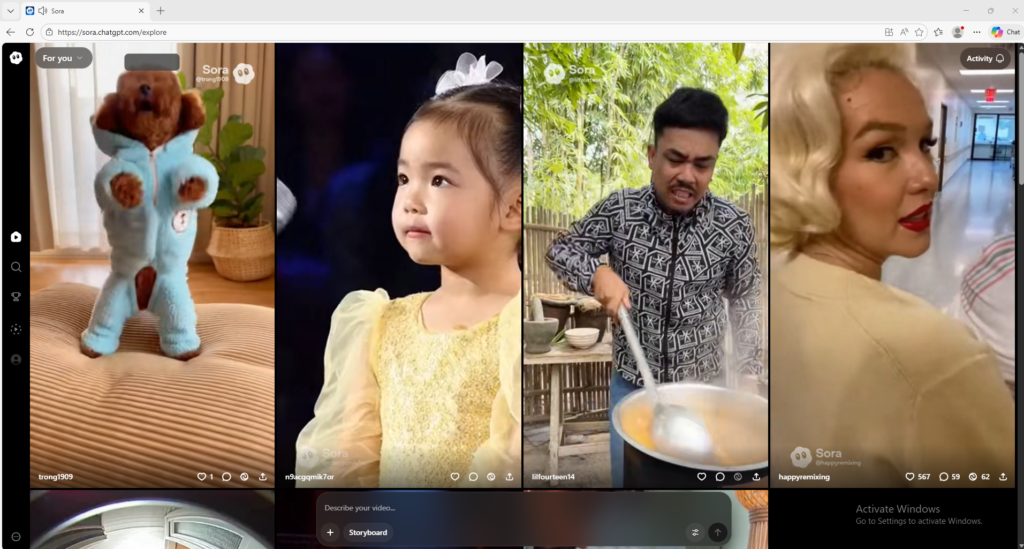
Sora 2 is OpenAI’s video and audio generation model for creating short videos from text prompts or images. It is useful for creators and professionals who want high-quality AI video generation with synchronized sound.
Overview
Sora 2 is OpenAI’s advanced video and audio generation model designed to turn text prompts or images into short, high-quality videos with synchronized sound.
What it can do:
- Generate videos from text prompts
- Turn images into animated video clips
- Produce synchronized audio with video
- Support more realistic motion, physics, and scene control than earlier versions
- Help creators prototype ideas, stories, ads, and visual concepts quickly
Who should use it:
Creators, marketers, storytellers, designers, and AI video users who want high-quality text-to-video generation with sound.
Things to note:
Sora 2 is more powerful than a basic video generator, but good outputs still depend heavily on prompt quality. Access level and generation options can vary between the Sora app and API-based usage.
Final quick verdict:
Sora 2 is a strong AI video tool for users who want polished short-form video generation with synced audio and better creative control.
How to Use
1. Visit the official Sora website or open the Sora app with your OpenAI account.
2. Start with a simple project first instead of a complex cinematic idea, so you can learn how the system responds to prompts.
3. Choose whether you want to create from a text prompt or from an uploaded image.
4. If you are using text only, write a clear prompt that explains the subject, action, setting, mood, lighting, and camera feel.
5. If you are using an image, upload a clean reference image and describe the movement or scene evolution you want Sora 2 to generate from it.
6. Keep your first prompt focused on one main subject and one main action. This usually produces more stable results than trying to describe too many events at once.
7. Generate the first draft and watch it carefully from start to finish, paying attention to motion quality, scene consistency, and how closely it follows your prompt.
8. If the result is weak, revise the prompt by improving the action, camera framing, and visual details rather than making the prompt much longer and more confusing.
9. Save the best prompt versions so you can reuse the structure for future videos.
10. Once you understand the basics, use Sora 2 for concept videos, creative storytelling, ad ideas, product visualization, or short-form content experiments.
Screenshots