

Luma Dream Machine
AI video generator for cinematic storytelling and ideation
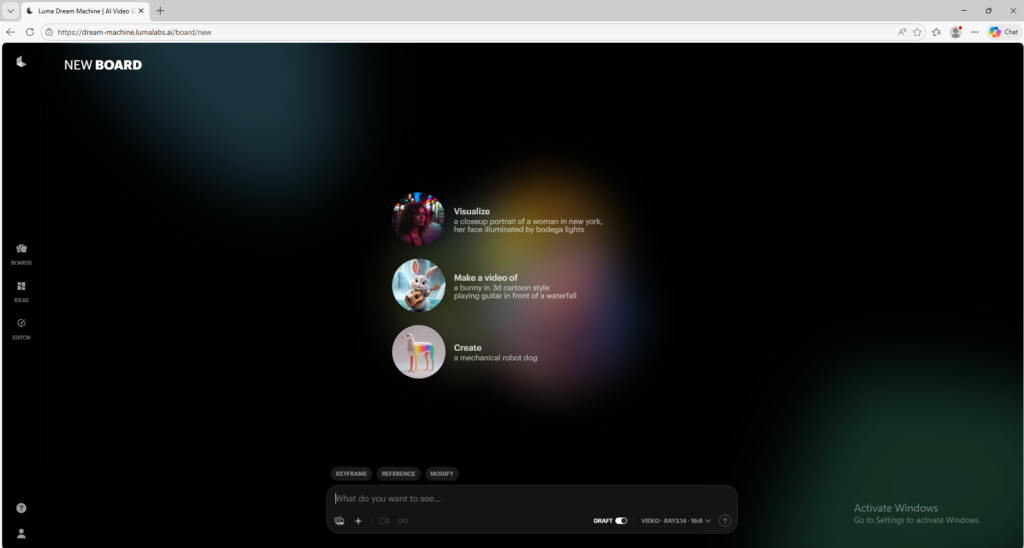
Luma Dream Machine is an AI video tool that helps users create cinematic videos from text prompts and images. It is useful for creators and marketers who want a visual, beginner-friendly workflow for fast AI video generation.
Overview
Luma Dream Machine is an AI video creation tool designed to help users generate cinematic visual content from text prompts, images, and other creative inputs.
What it can do:
- Generate videos from text prompts
- Create motion from still images
- Support ideation, storytelling, and visual concept development
- Let users work with image and video generation in one creative workflow
- Help produce fast AI-generated clips for creative and marketing use
Who should use it:
Creators, marketers, visual storytellers, designers, and beginners who want an accessible AI video tool for experimenting with ideas and generating cinematic outputs.
Things to note:
Dream Machine uses a credit and plan system, so the amount of generation you can do depends on your subscription. Results can vary significantly based on prompt quality and the creative mode you use.
Final quick verdict:
Luma Dream Machine is a strong AI video tool for users who want a creative, prompt-driven workflow that feels fast, visual, and beginner-friendly.
How to Use
1. Visit the official Dream Machine page and sign in or create an account.
2. Start with a simple creative test, such as a short prompt for a scene, object, or visual idea.
3. Decide whether you want to generate from text only or begin with an image reference.
4. If you use text, write a prompt that clearly describes the subject, movement, environment, mood, and visual style.
5. If you use an image, upload a strong source image and describe how you want it to move or evolve into a video.
6. Generate the first draft and review whether the motion feels natural and whether the scene matches your intention.
7. If the output is not strong enough, rewrite the prompt with clearer action, fewer competing details, and a more specific visual direction.
8. Save the prompts that work best, because small prompt changes can create very different video results.
9. Use the tool for concept videos, visual brainstorming, social media clips, ad ideas, or storytelling experiments.
10. Once you understand the workflow, build a small prompt library so you can create future Dream Machine videos faster and more consistently.
Screenshots