

Hailuo AI
AI video platform for fast text-to-video and image-to-video creation
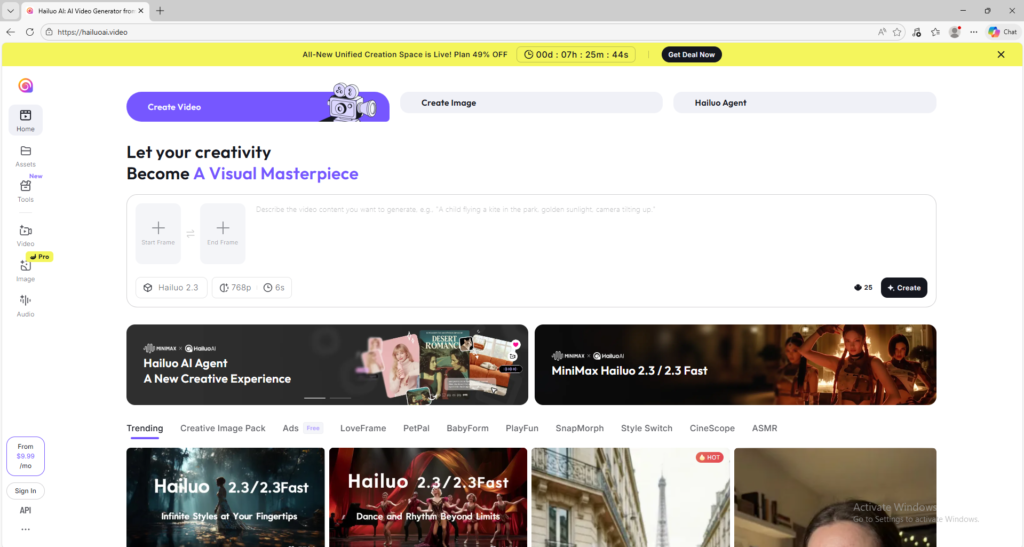
Hailuo AI is an AI video platform that helps users create videos from text prompts and images. It is useful for creators and marketers who want a fast, accessible workflow for AI video generation and quick visual testing.
Overview
Hailuo AI is an AI video platform designed to help users create videos from text prompts and images with a fast, creator-friendly workflow.
What it can do:
- Generate videos from text prompts
- Turn images into animated video clips
- Let users work with Hailuo 2.3 and Hailuo 2.3-Fast in supported workflows
- Support both higher-quality creation and faster iteration modes
- Help creators produce social content, ad concepts, and visual experiments quickly
Who should use it:
Creators, marketers, social media users, and beginners who want an easy AI video workflow with both text-to-video and image-to-video options.
Things to note:
Hailuo AI uses credits and subscriptions, but it also provides trial-style access in official workflows. The quality and cost can vary by model choice, duration, and output specification.
Final quick verdict:
Hailuo AI is a strong beginner-friendly AI video platform for users who want fast experimentation, image-to-video options, and a practical prompt-based workflow.
How to Use
1. Visit the official Hailuo AI website and create an account or sign in.
2. Open the creation area and decide whether you want to use Text to Video or Image to Video. If you are completely new, Image to Video is often easier because you can control the result with a source image.
3. If you choose Text to Video, write a prompt that clearly explains the subject, movement, setting, mood, and style. Keep your first prompt simple and avoid describing too many actions in one clip.
4. If you choose Image to Video, upload a clear image with a strong focal subject. Then write a short motion prompt explaining what should happen, such as camera movement, body motion, environmental motion, or scene transformation.
5. Check whether the platform lets you choose between Hailuo 2.3 and Hailuo 2.3-Fast. Use the higher-quality option when detail matters most, and use the faster option when you want quicker iterations.
6. Review visible generation settings such as duration, resolution, or aspect ratio if those options appear in your workflow. For your first tests, do not overcomplicate the settings.
7. Generate the first result and watch it fully. Pay attention to motion quality, face stability, prompt accuracy, and whether the clip feels natural.
8. If the clip is weak, improve only one part at a time. For example, shorten the prompt, make the action more explicit, switch from text-to-video to image-to-video, or test a different model variant.
9. Use your trial or daily credits carefully by testing one core creative idea at a time. This helps you learn much faster than spending credits on random experiments.
10. Once you get a strong result, download the clip and save the exact prompt, image reference, and model choice so you can repeat the same quality level in future projects.
Screenshots