

Grok Imagine
AI media model for image and video generation workflows
Grok Imagine is xAI’s media generation model for creating and editing videos and images from prompts or reference inputs. It is useful for creators and advanced users who want a more powerful image-and-video workflow inside the xAI ecosystem.
Overview
Grok Imagine is xAI’s generative media model designed to create and edit videos, images, and audio-driven visual content from prompts and reference inputs.
What it can do:
- Generate videos from text prompts
- Turn images into animated video sequences
- Create and edit images with text guidance
- Support video editing and visual restyling workflows
- Help users build more cinematic and controllable creative outputs
Who should use it:
Creators, advanced AI video users, visual experimenters, and technical users who want a powerful model for image and video generation in the xAI ecosystem.
Things to note:
Grok Imagine is positioned more like a serious generation model and API capability than a simple beginner-friendly chat app feature. Strong results usually depend on careful prompt writing and understanding how image or video references affect the output.
Final quick verdict:
Grok Imagine is a strong multimodal generation tool for users who want image and video creation with more control and a workflow closer to advanced creative production.
How to Use
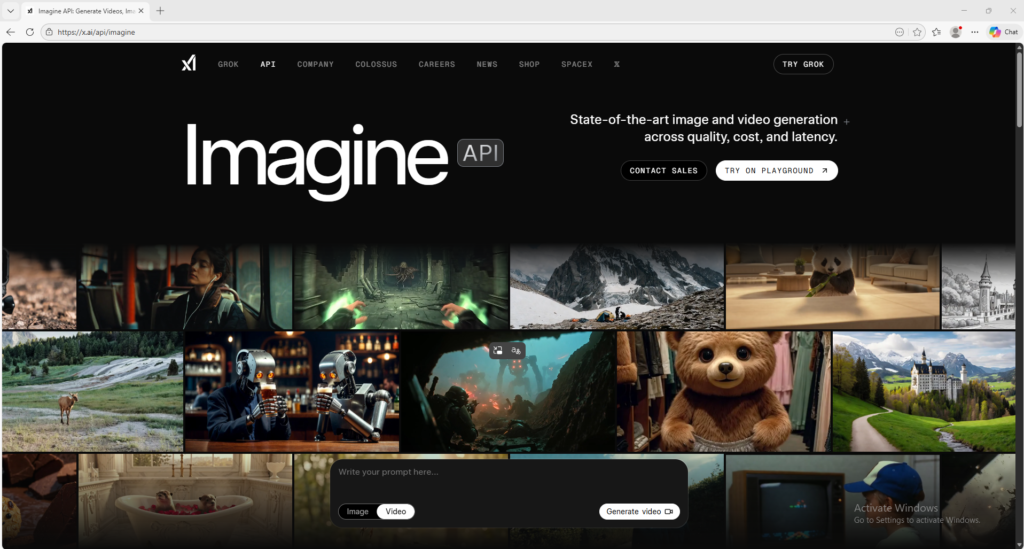
1. Visit the official Grok Imagine page or the related xAI Imagine API area to understand what generation and editing features are available.
2. Decide whether your task is image generation, video generation, image editing, or image-to-video conversion.
3. Start with a simple prompt first so you can understand how the model handles style, motion, and instruction following.
4. If you are creating a video from text, describe the subject, action, setting, mood, and camera behavior as clearly as possible.
5. If you are using an image reference, upload a clean source image and explain the motion or transformation you want the model to create.
6. Generate the first version and review it for visual quality, motion realism, subject consistency, and how closely it follows your prompt.
7. If the output is weak, improve the prompt by making the action clearer and by removing unnecessary details that may confuse the generation.
8. If you are doing editing or restyling, change one major instruction at a time so you can see exactly what affects the result.
9. Keep the best prompt versions and successful reference images, because these become your fastest path to repeatable results.
10. Once you understand the basics, use Grok Imagine for concept art, animated visual ideas, creative experiments, or more advanced video-and-image workflows.
Screenshots