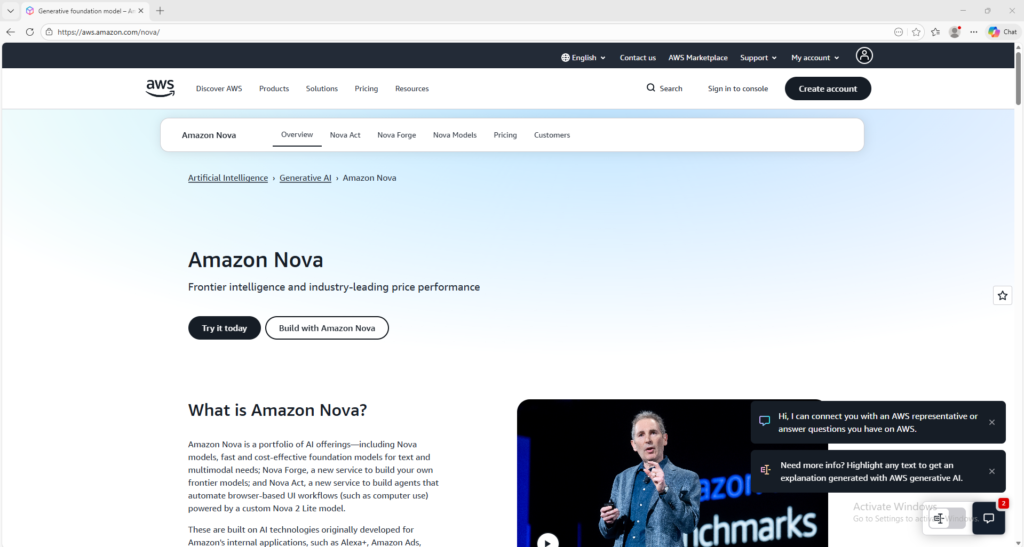


Amazon Nova
AWS AI platform for multimodal apps and agent workflows
Amazon Nova is a family of AWS generative AI models and services that supports text, image, video, speech, and agent-based workflows. It is useful for developers and organizations that want to build AI applications on AWS infrastructure.
Overview
Amazon Nova is a family of generative AI models and services from AWS designed to help developers and organizations build applications for text, image, video, speech, and agent-based workflows.
What it can do:
- Support text and multimodal AI use cases
- Help build image, video, and speech-enabled experiences
- Power API-based applications and AI workflows
- Support agentic use cases and browser-based automation in supported services
- Give developers access to multiple Nova models through AWS infrastructure
Who should use it:
Developers, technical teams, startups, and businesses that want to build AI-powered products and workflows on AWS.
Things to note:
Amazon Nova is primarily a builder-focused platform rather than a simple consumer chat app. To use it in practice, you typically need an AWS account and access through Amazon Bedrock or related AWS services.
Final quick verdict:
Amazon Nova is a strong AI platform for builders who want text, multimodal, and agent-oriented capabilities inside the AWS ecosystem.
How to Use
1. Visit the official Amazon Nova page to understand the available models and services.
2. Review which Nova capability fits your goal, such as text generation, multimodal tasks, image generation, video generation, speech, or agent workflows.
3. Create an AWS account if you do not already have one.
4. Sign in to the AWS Console and open Amazon Bedrock, because Amazon Nova is accessed through AWS services rather than a simple public chat page.
5. Check whether Amazon Nova is available in your region and review the supported models you want to use.
6. Choose the Nova model or service that matches your use case, for example a text or multimodal model for app features, or a creative model for image or video generation.
7. Set up your basic workflow in Bedrock or the related AWS service, including permissions, model access, and any required API configuration.
8. Send a simple test prompt first, such as a text request or a multimodal input, to confirm that your setup is working correctly.
9. Review the output quality, latency, and cost so you can decide whether the chosen Nova option is right for your project.
10. Expand from the basic test into your real workflow, such as integrating Nova into an app, internal tool, automation flow, or AI-powered customer experience.
Screenshots