

Microsoft Copilot
AI assistant for productivity, writing, and daily work
Microsoft Copilot is an AI assistant that helps with writing, research, planning, content creation, and productivity tasks. It is useful for students, professionals, and everyday users who want a practical AI companion across chat and Microsoft workflows.
Overview
Microsoft Copilot is an AI assistant designed to help with writing, research, planning, content creation, and everyday productivity across Microsoft’s ecosystem.
What it can do:
- Answer questions in a conversational chat format
- Help draft, rewrite, and summarize content
- Support productivity tasks across Microsoft apps
- Assist with planning, email writing, and document work
- Generate and edit images from text prompts
Who should use it:
Students, office users, creators, and professionals who want an AI assistant for daily productivity, writing, and general task support.
Things to note:
Some features, usage limits, and deeper app integration depend on the plan you use and whether you are using the free Copilot experience or Microsoft 365 plans with higher limits.
Final quick verdict:
Microsoft Copilot is a practical AI assistant for users who want chat, productivity help, and Microsoft ecosystem support in one tool.
How to Use
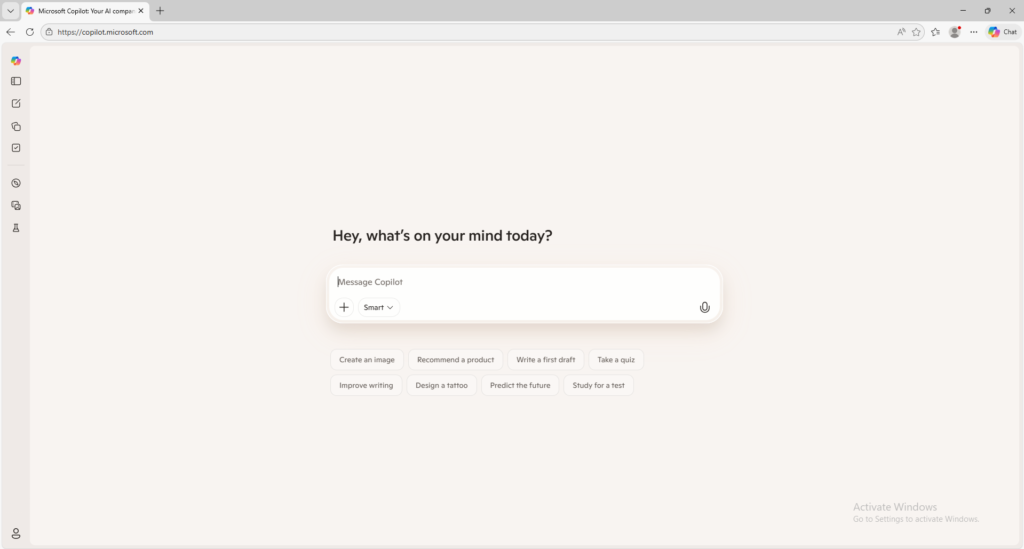
1. Visit the official Microsoft Copilot website.
2. Sign in with your Microsoft account if needed.
3. Start a new chat or open the Copilot experience you want to use.
4. Enter your prompt, question, or task.
5. Review the answer and refine your request if needed.
6. Continue the conversation or use Copilot features in supported Microsoft apps.
Screenshots