

LTX-2
Production-grade AI video model for controlled creative workflows
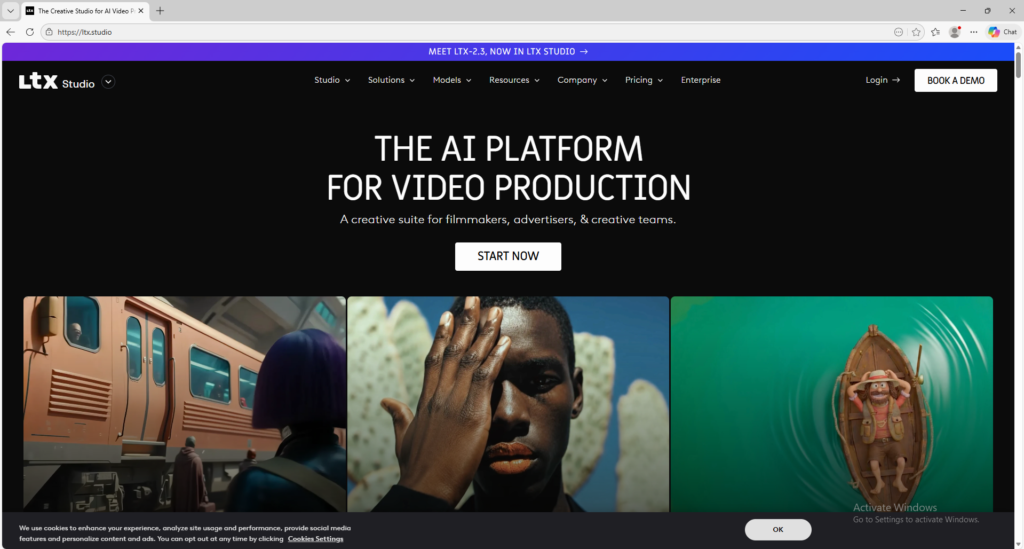
LTX-2 is a production-grade AI video model from LTX for creating higher-fidelity videos with stronger motion control and workflow structure. It is useful for creators and teams who want a more serious AI video production environment.
Overview
LTX-2 is a production-grade AI video model from LTX designed to help creators and teams build higher-fidelity videos with stronger motion control, narrative structure, and professional workflow features.
What it can do:
- Generate videos from text prompts
- Generate videos from images
- Support audio-to-video and storyboard-oriented workflows in the LTX platform
- Offer stronger creative control over tone, motion, and narrative flow
- Help teams move from concept to polished video inside one creative system
Who should use it:
Creators, agencies, production teams, marketers, and advanced users who want a more structured and production-oriented AI video workflow.
Things to note:
LTX-2 is not just a lightweight toy generator. It is designed for more serious video production workflows, so users get more value when they work with prompts carefully and use the platform’s scene, storyboard, and camera-oriented controls.
Final quick verdict:
LTX-2 is a strong AI video option for users who want more control, better workflow structure, and a platform that can scale beyond simple prompt experiments.
How to Use
1. Visit the official LTX website and create an account or sign in.
2. Start from the free plan first if you are only testing the workflow. The platform’s pricing currently lists a free tier and includes LTX-2 video generation models, which makes it possible to learn the system before upgrading.
3. Decide how you want to begin the project. If you already have an idea written out, use a text-to-video workflow. If you already have an image or visual reference, start with image-to-video. If your project depends on audio, explore the audio-to-video workflow where available.
4. Before generating anything, define the purpose of the video. LTX-2 works best when you know whether you are making an ad concept, short narrative clip, visual prototype, pitch asset, or branded creative.
5. Write a structured prompt instead of a vague one. Describe the main subject, the action, the environment, the camera feel, the lighting, and the emotional tone. If the scene is complex, break the idea into logical pieces rather than trying to force everything into one crowded prompt.
6. If the interface gives you access to storyboards, camera controls, or scene planning tools, use them. These controls are part of what makes LTX more production-oriented than simpler video tools.
7. Generate the first version and watch it critically. Check whether the movement is stable, whether the shot progression makes sense, and whether the scene actually feels like the creative direction you described.
8. If the result is weak, improve the workflow step by step. First fix the subject and action, then refine the environment, then refine the cinematic or camera language. Controlled iteration usually works much better than completely rewriting the idea each time.
9. Save successful prompt structures, storyboard layouts, and project settings. LTX is most powerful when you build repeatable workflows instead of treating every generation like a random one-off experiment.
10. Once you understand the basics, use LTX-2 for more advanced work such as longer-form concepts, branded narrative ideas, audio-led visual projects, or structured pre-production and pitch workflows.
Screenshots